_edited.png)
AI CRM for Small Business: A 6-Step System to Stop Losing Leads


You remember the conversation. The prospect wanted help, had a real deadline and asked a question you meant to answer. Then the day filled up. Their email stayed starred, your notes stayed in a notebook, and the next time you remembered them, the buying moment had cooled.
AI CRM for small business should prevent that kind of revenue leak. A customer relationship management system, or CRM, is the place where you keep a contact's history, current stage and next action. AI can summarize conversations, find missing information, prepare follow-up and flag neglected opportunities. It should not invent intent, change a deal stage without evidence or send a promise you have not approved.
That is the direct answer. You do not need a giant sales platform to begin. You need one reliable customer memory and a rule that turns each meaningful interaction into one owned next step.
This guide gives you a six-step Revenue Memory Loop that can run inside a simple spreadsheet or a dedicated CRM. The goal is not more fields. The goal is to make sure a qualified relationship does not disappear between inboxes, calls, forms and your own overloaded attention.
Zero-Employee Entrepreneur teaches you to build narrow AI specialist roles around real company work. A CRM specialist is one of those roles: it prepares the customer context and next move while you retain authority over the relationship.
In This Article
What AI CRM for Small Business Actually Does
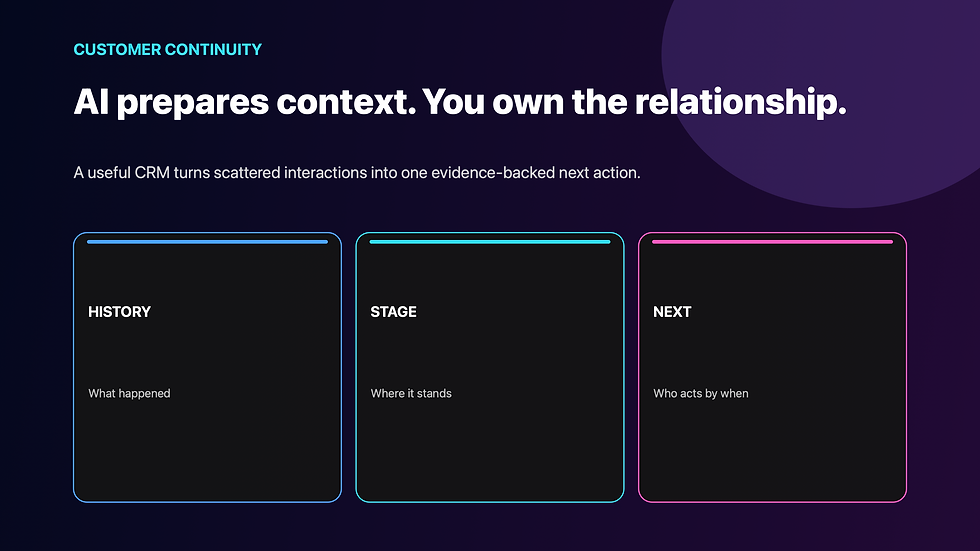
A CRM is a shared memory for customer relationships. At minimum, it tells you who the person is, what they need, what has happened, where the opportunity stands and what should happen next. When that information lives in separate inboxes and mental notes, the owner becomes the integration layer.
AI helps by turning messy communication into structured preparation. It can read an approved set of emails or call notes, produce a concise summary, extract a stated deadline, identify an unanswered question and draft the next-action brief. In a mature system it may also enrich records, detect duplicates or surface deals that have gone quiet.
HubSpot describes its current AI CRM as a unified customer-data layer that can combine structured records, conversations and external signals. That is useful product context, but the business lesson is broader than any vendor: AI becomes valuable after the customer truth has a home. Without that home, a faster summary merely moves confusion around.
The hidden mechanism behind many lost leads is not weak persuasion. It is broken continuity. The prospect repeats themselves, the owner reconstructs history, and each follow-up begins with a search instead of a decision. That delay makes a capable small business look less attentive than it really is.
This is why an AI lead-qualification system and a CRM do different jobs. Qualification asks, “What evidence supports the next queue?” The CRM preserves that evidence and carries the relationship forward after the queue is chosen.
Use AI in your CRM for four narrow jobs:
summarize approved conversation history;
identify missing or conflicting fields;
prepare one evidence-backed next action; and
flag relationships that need human judgment.
Keep the customer-facing decision human until the workflow has earned more authority.
Build the Five-Field Revenue Memory

Most small-business CRM setups fail before automation begins because they collect too much trivia and too little decision information. A record with twenty-seven empty fields is not a system. It is an abandoned form.
Start with five fields that answer the next commercial question.
1. Customer need. Record the problem in the customer's own language. “Interested in consulting” is weak. “Needs a repeatable weekly content system before an October launch” gives you a reason and a clock.
2. Current stage. Use a short set of stages with observable entry rules: new inquiry, qualified, proposal, decision, won, lost or nurture. Do not let “hot” become a stage. Heat is an impression; a stage should be supported by an event.
3. Last evidence. Capture the latest meaningful action or statement with a date and source. An opened email may be a signal, but it is not the same as a reply, booked call or requested proposal.
4. Next action. Name one action, one owner and one due date. “Follow up” is incomplete. “Ben approves the revised scope reply by Tuesday” can be executed and checked.
5. Risk or unknown. Make uncertainty visible. Missing budget, unclear authority, conflicting timing or sensitive information should not quietly become negative assumptions.
I call this the Five-Field Revenue Memory. It is deliberately small because a useful memory must survive a busy week. If the owner will not maintain the five fields, adding AI will not rescue the database.
You can use the same structure whether the record lives in HubSpot, Zoho, Pipedrive, Airtable or a spreadsheet. Tool choice matters when you need permissions, automation, reporting or integrations. The operating model comes first.
The wider lesson also appears in AI customer-retention workflows: a relationship improves when the system remembers the promise, the signal and the next useful moment. Memory is the bridge between good intentions and consistent treatment.
Run the Six-Step Revenue Memory Loop

The Revenue Memory Loop has six steps: capture, clean, interpret, prepare, approve and learn.
1. Capture the interaction. Bring in only the sources you have approved: a form response, call note, customer email or meeting summary. Do not give a general-purpose tool unrestricted access to every customer system simply because a connector exists.
2. Clean the record. Match the interaction to the correct person and remove obvious duplication. Ask the AI to separate direct statements from inference. “Needs a decision by Friday” may be evidence. “High urgency” is an interpretation.
3. Interpret against rules. Compare the new evidence with your stage definitions and sales process. If the buyer requested pricing, that may justify a proposal-stage recommendation. If they downloaded a guide, it may justify nurture—not a confident sales forecast.
4. Prepare the next-action brief. Require a compact output: current need, last evidence, recommended action, draft wording, due date and unresolved risk. This is where AI should reduce review time without hiding the reasoning.
5. Approve the consequential move. The owner reviews price, scope, promise, tone and timing before anything is sent. Routine internal updates may later become automatic if their evidence rule is objective and reversible.
6. Learn from the outcome. Record whether the action produced a reply, booked call, objection, delay, sale or no response. That result improves the operating rule. It should not become permission for AI to make bigger promises.
This loop is a specialized AI workflow: the same inputs, rules, review and proof repeat each time. The CRM stores relationship state; the loop turns a new interaction into a controlled change of state.
The doctrine I want you to remember is simple: A lead becomes truly lost when your business can no longer name the evidence, owner and next move.
Let AI Prepare the Next Move, Not Make the Promise

The easiest way to damage trust is to automate the customer-facing step before the context is reliable. A polished reply can still quote the wrong scope, miss a prior concern or imply a deadline you cannot meet.
Write a permission map beside the workflow.
AI may prepare: summaries, missing-field lists, suggested stages, call agendas, follow-up drafts, reminder drafts and dormant-record reviews.
AI may update under a reversible rule: internal tags, a last-contact date from a verified source, or a private task when a defined inactivity threshold is reached.
Human approval remains required: pricing, discounts, guarantees, scope, contracts, sensitive-data decisions, customer promises, deletion, account access and any message that could materially change the relationship.
Use the guardrails in this AI policy for small business before connecting a CRM to an AI tool. A reliable next action is valuable. A larger ungoverned data surface is not.
What Sandler's HubSpot Example Proves—and Doesn't
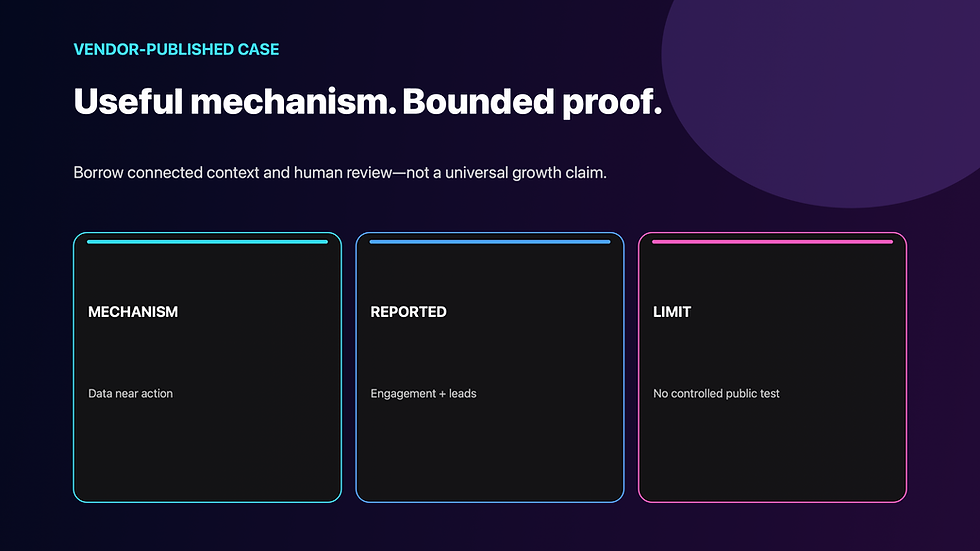
The useful mechanism is continuity. Customer data, content and sales activity sit close enough together for the system to prepare more relevant communication. The people do not have to rebuild the relationship from fragments each time.
The story does not prove that adding an AI CRM will multiply leads for every small business. It is vendor-published, Sandler is not a one-person company, and the public case does not provide a controlled test isolating AI from campaign, audience or process changes. The headline numbers are reported outcomes, not a universal forecast.
Borrow the mechanism, not the claim. Give your system one customer segment, one clear stage model and one reviewed next action. If relevance improves without increasing correction work, you have evidence worth expanding.
That boundary matters when you review AI automation ROI. Measure accepted work, reduced reconstruction time, fewer forgotten next actions and protected conversion—not the number of AI summaries produced.
Run a Seven-Day CRM Rescue

You can test the Revenue Memory Loop without migrating your entire customer history.
Day 1 — Choose one pipeline. Pick one offer or service with active inquiries. Export or list ten to twenty recent contacts. Preserve the original records before changing anything.
Day 2 — Define the five fields. Write the stage rules, approved sources and human approval boundary. Mark missing information as unknown.
Day 3 — Rebuild recent context. Ask AI to prepare summaries from the approved records. Check every summary against the source. Count material corrections.
Day 4 — Create next-action briefs. Require one action, owner, date and risk per active contact. Reject vague outputs such as “nurture the lead.”
Day 5 — Approve a small set. Review the draft messages or call agendas for three contacts. Correct tone, scope, facts and timing before using them.
Day 6 — Review dormant relationships. Find records with real fit but no owned next step. Separate a deliberate nurture decision from simple neglect.
Day 7 — Score the system. Compare the new workflow with your prior process. Keep it only if it improves continuity without creating a larger review burden.
Track four measures:
context recovery time: minutes needed to understand the relationship;
next-action coverage: active records with an owner and date;
correction rate: AI briefs requiring material factual repair; and
commercial movement: replies, calls, proposals or decisions tied to reviewed actions.
Do not treat movement as attribution. A reply after a follow-up does not prove AI caused the response. It proves the reviewed system completed the next step. If you later want a broader view, connect the clean pipeline to this AI sales-forecasting reality check instead of asking a model to predict from messy stages.
Protect the Relationship, Not the Database

If your customer history is scattered, it is tempting to see the CRM cleanup as a software project. It is really a promise project. Every record represents a person who trusted you with a question, a need, a deadline or a decision.
That is why I care about the evidence and approval layer. AI can give a solo entrepreneur some of the continuity a larger team gets from dedicated sales operations. It can remember what was said, prepare what comes next and surface the relationship before it goes cold. But speed without care simply lets you mishandle more people in less time.
The right CRM disappears into the relationship: the customer feels remembered, never processed. That standard should shape your fields, prompts, permissions and metrics.
I wrote The Wolf Is at the Door because AI changes more than task speed. It changes how small companies organize judgment, memory and responsibility. Your advantage will not come from pretending the machine owns the relationship. It will come from building a system that brings you the right context before the human moment matters.
Zero-Employee Entrepreneur gives you the framework to build that kind of narrow specialist role. Start with ten records and the Five-Field Revenue Memory. If the system returns cleaner context and a safer next action, expand it. If it produces confident guesses, reduce its access and strengthen the evidence rule.
AI CRM for Small Business FAQs

What is an AI CRM for small business?
It is a customer relationship system that uses AI to organize approved customer data, summarize interactions, identify missing context and prepare evidence-backed next actions. The owner keeps authority over consequential customer decisions.
Do I need paid CRM software to start?
No. A spreadsheet can test the five fields and six-step loop. Dedicated software becomes valuable when it reliably reduces duplicate entry, supports permissions and preserves a trustworthy history.
Which CRM fields should a small business use first?
Start with customer need, current stage, last evidence, next action and risk or unknown. Add fields only when they change a real decision or measurement.
Can AI send CRM follow-up automatically?
It can, but automatic sending should come after the sources, facts, tone and permission rules have been proven on reviewed drafts. Pricing, scope, promises and sensitive situations should remain human-approved.
How do I stop AI from inventing customer intent?
Require direct evidence for every stage or urgency recommendation, label inference separately and keep unknown information visible. Never let absence of data silently become a negative conclusion.
Is customer data safe in an AI CRM?
Safety depends on the vendor, plan, settings, permissions, integrations and data you submit. Review current provider documentation, restrict access and use the minimum information needed for the workflow.
How will I know whether the system works?
Measure context recovery time, next-action coverage, correction rate and reviewed commercial movement. A larger database or more generated summaries is not proof of a better customer process.


Comments