_edited.png)
7 Powerful AI Tools for Entrepreneurs That Replace Real Workflows (One Is So Dangerous It Needs Its Own Computer)

Advanced AI tools for entrepreneurs are advanced software systems that automate workflows, execute tasks, and act like digital employees inside a business. Unlike beginner AI chatbots, these tools use AI agents, browser automation, app building, and document analysis to replace repetitive work across marketing, research, operations, and content creation. |
AI tools for entrepreneurs are no longer just about writing faster emails or generating content.
They’re about replacing real workflows inside your business.
Right now, a new generation of advanced AI automation tools and AI agents is emerging — systems that can execute tasks, control software, analyze data, build apps, and even operate like digital employees inside your computer.
One of them is so controversial that founders are buying separate machines just to run it.
If you’ve already experimented with ChatGPT, taken an AI course, or completed my 28 day AI challenge, this is the next level. These aren’t beginner tools. These are AI tools for business automation that can replace repetitive work, increase leverage, and fundamentally change how a one-person company operates.
But with that power comes risk.
Let’s break down the 7 most powerful AI tools for entrepreneurs right now — what they actually do, how they automate key business tasks, and what you need to know before using them.
In this article;
Open Claw: The Most Advanced (and Risky) AI Automation Tool for Entrepreneurs

1. What OpenClaw is (in plain English)
OpenClaw is software you install on a laptop, homelab server, or VPS that acts as a controllable AI “worker” connected to a large language model (e.g., GPT, Claude, DeepSeek, open‑source LLMs). CNBC
You talk to it through chat apps you already use (WhatsApp, Telegram, Discord, Slack, etc.), and it can then perform actions on your behalf on that machine or via APIs (“an AI that actually does things”). OPENCLAW
It keeps persistent local memory (config + history), meaning it can remember tasks, preferences, logins, and files over time and adjust how it works for you.
It’s open source and extensible: developers can write “skills” or plugins that let it integrate with more tools (CRM, Notion, Stripe, email platforms, scraping, CLI tools, etc.). CNBC
Think of it as Zapier + a super‑capable VA, but powered by an LLM and running on your own hardware.
Key design points that are making headlines:
It runs close to your data (local or self‑hosted) instead of purely in the cloud.
It has broad system access (files, browser, credentials) and long‑term memory, so its “blast radius” is much larger than a normal chatbot.
It’s free and open source, which has led to extremely rapid adoption as hackers, makers, and startups experiment with it.
2. Why it’s suddenly making headlines
Viral adoption + “AI that does things” narrative
OpenClaw took off in late January 2026, largely via the viral Moltbook project and social content from indie hackers showing bots running their businesses or side hustles.
CNBC and other outlets covered it as a new wave of “agentic AI” where the bot doesn’t just answer questions but logs into apps, sends messages, and executes workflows.
Creator joining OpenAI and moving to a foundation
In February 2026, creator Peter Steinberger announced he was joining OpenAI and that OpenClaw would move to an independent open‑source foundation, which drew even more attention from both devs and security researchers. wikipedia
Security warnings from big vendors
Cybersecurity companies and large vendors (including Microsoft and others) have published advisories warning that OpenClaw running with full access on personal or enterprise machines is “unsafe” and should be treated like untrusted code with persistent credentials.
Studies have found tens of thousands of exposed OpenClaw control panels on the public internet with system‑level access, which is a huge attack surface. geodigital
Real incidents and malware leveraging the hype
Security researchers and YouTube security reviews have documented malicious or booby‑trapped community plugins and “Claw Hub” listings that actually install malware or enroll machines into botnets, exploiting the hype around the tool.
Financial and advisory industry media are reporting waves of breaches and near‑misses where misconfigured OpenClaw instances exposed client data or credentials. fmag
3. What OpenClaw can do (capabilities)
In practice, OpenClaw’s capabilities fall into these buckets:
Automation of knowledge work
Read and respond to emails, triage inboxes, and maintain contact lists.
Draft and publish content across social media, blogs, and newsletters.
Summarize long documents, generate reports, and keep internal documentation up to date.
Multi‑app workflows across tools
Orchestrate tasks that involve several apps: e.g., monitor Stripe / Shopify sales, update a Notion dashboard, email summaries to the founder, and schedule follow‑ups on a calendar.
Integrate with chat, CRM, ticketing, spreadsheets, and databases through plugins/skills defined by the community.
System‑level actions
Read/write local files, run scripts or CLI commands, interact with browsers (log into SaaS dashboards, click buttons, scrape data).
Because of this, it can, for example, build and deploy a simple site, fetch analytics, or generate and upload creative assets as part of a pipeline.
Persistent “operator” behavior
Maintain a long‑term memory of your business metrics, campaigns, customers, and preferences, enabling it to act like a continuously improving operator, not a stateless chatbot.
4. Real entrepreneur case studies
These are examples of how founders are actually using it:
Case study 1 – “Felix” bot building a micro‑business
Creator and entrepreneur Nat Eliason gave his OpenClaw bot “Felix” a budget of about 1,000 USD and a high‑level goal: build and grow a digital product business.
Over roughly three weeks, the agent:
Researched niches and validated a simple info product concept.
Built a basic website and sales page.
Launched an X (Twitter) account, created content, and promoted the offer.
Handled routine customer‑facing tasks like email replies and basic support.
Reported results: Felix generated around 14,700 USD in revenue during that period while running largely autonomously under Nat’s supervision.
How this translates for an entrepreneur: you can delegate end‑to‑end workflows (research → build → launch → iterate) while you act as editor and risk‑manager rather than operator.
Case study 2 – Founder automating operations at a wellness company
On “This Week in Startups,” founder Presh Dineshkumar showed how he uses an OpenClaw agent named “Eywa” at The Wellness Company.
Eywa lives inside email and the company’s internal tools, and can:
Compile user and customer lists on demand from emails and product data.
Generate tailored outreach sequences, follow‑up reminders, and basic reports.
Act as an internal ops assistant, assembling the information Presh needs without him clicking through multiple systems.
This shifts him from doing manual data pulls and list building to simply asking Eywa for segments, reports, or campaign drafts.
Case study 3 – Advisors and small firms (cautionary use)
Financial advisory media report younger advisors adopting OpenClaw to automate client touchpoints, data collection, and portfolio summaries, because it’s free and can plug directly into their machines and SaaS tools. fmag
However, misconfiguration and overly broad access have already contributed to security incidents and near‑breaches in which client data and credentials were exposed via compromised agents or plugins.
For a solo advisor or small firm, the upside is powerful automation; the downside is that mishandling security can create regulatory and reputational disasters.
5. Main risks (broken down simply)
You can think about the risks in three layers: (1) what it can access, (2) what it can be tricked into doing, and (3) who can piggyback on it.
5.1 Access / blast radius
OpenClaw often runs with your real user account and API keys, which means it can reach email, cloud storage, CRM, payment systems, and internal documents.
If compromised (through a bug, plugin, or prompt injection), attackers can exfiltrate data, steal credentials, or deploy malware with that same level of access.
Microsoft and others explicitly warn that it should not be run on a normal personal or enterprise workstation with full access; instead it should run in a hardened, minimal environment.
5.2 Prompt injection and memory poisoning
OpenClaw reads untrusted content from websites, emails, PDFs, and chats; attackers can embed hidden instructions (“indirect prompt injection”) that cause the agent to ignore your goals and run their commands instead.
Because the agent has persistent memory, a single successful injection can plant long‑lasting instructions that steer behavior over days or weeks (“memory poisoning”).
Researchers have demonstrated that this can result in destructive actions like deleting files, fetching and running unsafe scripts, or quietly sending sensitive data to attacker‑controlled endpoints.
5.3 Plugins / skills and malware ecosystem
Community‑built skills are powerful but largely unvetted; a malicious skill can log keystrokes, export browser cookies, or enroll your system into a botnet while pretending to offer productivity features.
Security analyses and video investigations show that some listings in “Claw Hub” or similar directories masquerade as productivity extensions but actually download malware.
Because the platform is popular with technical early adopters, it has quickly become a target for malware authors piggybacking on the hype.
5.4 Exposure and misconfiguration
A scan cited by Microsoft identified more than 42,000 IPs with exposed OpenClaw control panels (often with full system access) across dozens of countries.
Many of these were configured without authentication or with weak credentials, effectively handing full agent control to anyone who can reach the UI.
Misconfigured logging and URL previews can also leak API keys, session tokens, and sensitive content to logs or third‑party services.
5.5 Operational / business risks for entrepreneurs
Even if nobody hacks you, there are practical business risks:
Runaway costs: Poorly scoped tasks can cause infinite loops of tool calls and LLM API usage, driving large, unexpected bills.
Bad autonomy design: Giving the agent too much authority (e.g., sending emails or posting publicly without human review) can damage brand reputation with off‑tone or incorrect messages.
Compliance issues: In regulated industries (finance, healthcare, legal), uncontrolled data movement and opaque decision‑making can violate compliance rules or audit requirements.
6. How to use it more safely as an entrepreneur
Not legal or security advice, but these are widely recommended patterns:
Sandbox the environment
Run OpenClaw on a dedicated VM, container, or low‑privilege user account with only the minimum files and APIs it truly needs.
Do not give it blanket access to your primary workstation, password manager, or all cloud drives.
Limit credentials and data
Use dedicated API keys with restricted scopes and separate accounts for automation tasks (e.g., a “bot” user in your CRM or email platform).
Start by giving read‑only access where possible and add write permissions gradually as you gain confidence.
Treat plugins like untrusted software
Only install skills from sources you understand and trust; review code if you can.
Avoid “random cool skills” from forums or hubs, especially those that download or execute binaries or scripts.
Guard against prompt injection
Avoid tasks where the agent blindly executes instructions from arbitrary web pages or emails.
Use clear, narrow system prompts and “allow lists” of what tools it can use or which domains it can trust.
Keep a human in the loop for external actions
Require manual approval before the agent: sends mass emails, posts on social, wires money, or changes live settings. (Even then, it may ignore your instructions, as demonstrated in the feature video at the top of this article.
Start with it drafting outputs (emails, posts, reports) and you approving them, then selectively automate low‑risk actions.
7. Quick mental model
What it is: An open‑source, self‑hosted AI agent that can control your apps and machine, with long‑term memory and plugin‑based integrations.
Why headlines: Explosive adoption, flashy success stories (bots making money), creator joining OpenAI, and very serious security warnings from big vendors and researchers.
Upside for entrepreneurs: Hands‑off automation of content, ops, analytics, and even small product launches if you design workflows well.
Downside: If you treat it like a harmless chatbot instead of a powerful script runner with your keys, you can end up with data breaches, malware, and reputational or regulatory damage.
Open Claw represents the frontier of AI automation tools for entrepreneurs — but frontier tools require discipline. Assess the risks carefully before you install Open Claw.
Bottom Line
Open Claw is one of the most advanced AI automation tools available today. It can replace real workflows and function as a digital operator inside your business. But when an AI agent can access your files, passwords, and financial platforms, strategy and security matter more than speed. Use it carefully. Isolate it properly. And understand exactly what permissions you are granting.
OpenAI Atlas: An AI Agent Built Directly Into Your Browser

What Is OpenAI Atlas?
OpenAI Atlas is a browser-based AI agent that integrates artificial intelligence directly into your web experience. Instead of copying and pasting information into a separate chatbot, Atlas can see the page you’re on and act within your browser. For entrepreneurs, that means shorter prompts, faster execution, and real-time workflow automation inside everyday tools like Google Docs, Instagram, YouTube, LinkedIn, and CRM platforms.
It’s AI embedded into your browser — not floating outside it like Open Claw.
How OpenAI Atlas Works
Atlas combines conversational AI with agent capabilities. It can:
Analyze the webpage you’re currently viewing
Extract data without manual copy-paste
Summarize research instantly
Respond to comments inside social platforms
Compile lists of podcasts or prospects
Evaluate analytics dashboards
Execute step-by-step browser workflows
Because it operates in context, it reduces friction between thinking and doing.
Instead of:“Copy. Paste. Prompt. Repeat.”
It becomes:“Prompt. Execute.”
Watch: How to Use ChatGPT Atlas as an AI Agent for Your Business Marketing Strategy
In the above step-by-step walkthrough, I show you how to use ChatGPT Atlas as a real AI agent — not just chatgpt smart and simple AI — to analyze competitors, audit your sales pages, and prioritize high-impact business opportunities.
You’ll learn my SCALE method for turning scattered prompts into a focused growth strategy, how to build a live competitor “scoreboard,” stress test your offers for revenue leaks, and rank your weekly tasks by impact vs. effort so you stop wasting time on busy work.
If you’re serious about using AI automation tools to gain leverage in today’s attention recession, this workflow is essential.
OpenAI Atlas is particularly powerful for:
Lead generation research
Podcast outreach list building
Competitor analysis
Social media engagement
YouTube analytics breakdown
Content optimization
Market trend discovery
For solo founders, this can compress hours of manual research into minutes.
It’s one of the most practical AI tools for business automation because it enhances workflows you already use daily.
The Advantage Over Traditional AI Chatbots
Standard AI tools require context to be manually fed into them.
Atlas eliminates that step.
Because it can access the live webpage, it understands:
The data on your screen
The comments you’ve missed
The analytics you’re reviewing
The competitor content you’re analyzing
This makes it more aligned with real-world business automation.
Bottom Line
OpenAI Atlas represents the next evolution of AI agents for entrepreneurs. It doesn’t just answer questions — it works alongside you inside your browser, automating research, engagement, and workflow execution in real time. For founders who want leverage without surrendering system control, this is one of the most accessible AI automation tools available today.
Higgsfield AI: An AI Video Creation Tool for Entrepreneurs

What Is Higgsfield AI?
Higgsfield AI is an AI video creation platform that allows entrepreneurs to generate cinematic marketing videos from a photo, short clip, or simple prompt. Instead of hiring a production team, you can create polished, high-impact video content using artificial intelligence.
For solo founders, it acts like a creative studio built for one person.
How Higgsfield AI Works
Higgsfield uses generative AI to transform visual inputs into stylized, professional video content. You can:
Upload a photo and turn it into a dynamic scene
Generate AI-driven ad creatives
Create digital avatars, AI influencers or brand personas
Produce cinematic product demos
Test multiple video angles quickly
The platform handles motion, lighting, camera effects, and visual style automatically.
You focus on positioning and messaging.
How I Use Higgsfield as an Entrepreneur
As someone producing content weekly and testing marketing angles constantly, what matters to me isn’t just aesthetics — it’s speed and iteration.
With Higgsfield, I can:
Test different ad concepts without booking studio time
Create high-production-style visuals for social campaigns
Prototype video ideas before committing to full shoots
Generate creative variations for split testing
For a one-person business, that’s leverage.
It compresses what used to require:
A videographer
An editor
Lighting
Studio space
Post-production
Into a workflow I can control myself.
Why This Matters for Solopreneurs
In today’s attention economy, video drives reach. But most entrepreneurs underproduce because production feels overwhelming.
Higgsfield removes that barrier.
It allows founders to:
Compete visually
Move faster
Experiment creatively
Scale content output without scaling payroll
It’s not about replacing creativity.
It’s about removing friction between an idea and execution.
Bottom Line
Higgsfield AI gives solo entrepreneurs cinematic-level video capability without a production team. If you understand your positioning and messaging, it becomes a creative multiplier inside your marketing strategy. Used strategically, it turns ideas into assets fast.
Claude CoWork: A Supervised AI Agent for Business Operations

What Is Claude CoWork?
Claude CoWork is an AI agent designed to work inside your existing files and workflows. Unlike traditional chatbots that simply generate answers, Claude CoWork is built to execute tasks step by step within defined boundaries.
It behaves less like a conversational assistant and more like a supervised AI operator for entrepreneurs.
How Claude CoWork Works
Claude CoWork connects to your workspace and can:
Analyze long documents
Extract key data from reports
Organize files and folders
Build structured summaries
Generate research breakdowns
Create reports from raw information
Compile insights across multiple documents
Instead of asking AI “how” to do something, you assign the task and let it execute.
It works within guardrails, which makes it more controlled than fully autonomous AI automation tools.
How I Use It in Business
When I’m reviewing large research documents, analytics exports, or strategy drafts, Claude CoWork becomes a productivity accelerator.
I use it to:
Break down complex PDFs
Extract actionable insights from long-form research
Summarize strategy documents for faster decision-making
Organize raw notes into structured outlines
Build reports I can hand to a VA or team member
It reduces the friction between raw information and strategic clarity.
Why This Matters for Entrepreneurs
Most founders aren’t short on information.
They’re short on processing power.
Claude CoWork helps compress:
Research → InsightData → DecisionNotes → Strategy
For entrepreneurs building AI-powered systems, this is a practical AI productivity tool that enhances workflow execution without surrendering system-level control.
Bottom Line
Claude CoWork is a supervised AI agent for entrepreneurs who want execution without full system automation. It operates within defined boundaries, helping you analyze, organize, and produce business-ready outputs from your existing files and data.
It’s not flashy.
It’s operational leverage.
Base44: An AI App Builder for Entrepreneurs and No-Code Software Creation

What Is Base44?
Base44 is an AI app builder that allows entrepreneurs to create full software applications using natural language prompts. Instead of writing code, you describe what you want the app to do — and the system generates the structure, logic, database, and interface automatically.
It functions as a no-code AI software builder designed to turn ideas into working applications quickly.
For founders without technical backgrounds, it removes the barrier between concept and execution.
How Base44 Works
Base44 uses artificial intelligence to translate written instructions into functional software systems. You provide a description of your app, and it builds:
Front-end pages and user interfaces
Backend logic and workflows
Databases and data structures
User authentication and permissions
Hosting infrastructure
Functional dashboards
Instead of hiring a developer or learning to code, you interact with the system conversationally.
It’s software creation through AI-driven automation.
How I See Entrepreneurs Using It
For solo founders, Base44 unlocks leverage in areas that traditionally required a team.
You can build:
Internal CRM tools
Client dashboards
Automation systems
SaaS prototypes
Lead scoring tools
Data tracking platforms
Niche software ideas
Instead of outsourcing or waiting months for development, you can prototype and test quickly.
That speed changes strategic decision-making.
Why This Matters for One-Person Businesses
Most entrepreneurs don’t lack ideas.
They lack technical resources.
Base44 compresses:
Idea → PrototypePrototype → Working ToolWorking Tool → Revenue Experiment
For founders building AI-powered businesses, it becomes a practical AI software builder that supports innovation without hiring engineers.
Bottom Line
Base44 is an AI app builder that enables entrepreneurs to create custom software without writing code. By combining no-code infrastructure with AI-generated logic, it transforms written instructions into working business tools. If you’re serious about building internal systems or launching software ideas, this is one of the most practical AI tools for entrepreneurs today.
NotebookLM: An AI Research Assistant for Entrepreneurs
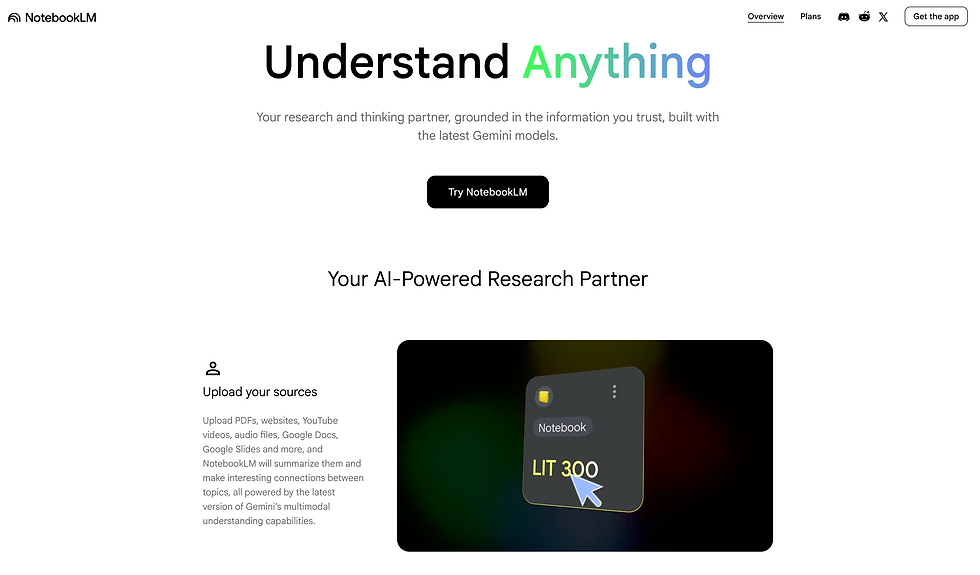
What Is NotebookLM?
NotebookLM is an AI research assistant designed to analyze and summarize your own documents. Instead of pulling answers from the internet, it works exclusively with the files you upload—such as PDFs, reports, research papers, meeting notes, and internal strategy documents.
For entrepreneurs, it functions as a private AI knowledge management system.
How NotebookLM Works
NotebookLM allows you to upload documents and then ask questions about them conversationally. It reads, analyzes, and extracts insights directly from your material.
You can use it to:
Summarize long PDFs
Extract key insights from reports
Compare multiple documents
Generate presentation outlines
Create training material
Build flashcards or briefing notes
Turn messy research into structured strategy
Instead of rereading 100 pages, you query your own data.
How I Use It in Business
When I’m working through research-heavy topics or reviewing long reports, NotebookLM helps compress time dramatically.
I use it to:
Convert research into actionable talking points
Turn book notes into training material
Extract strategic insights from analytics reports
Create structured outlines from scattered documents
Generate client-ready summaries quickly
It removes the cognitive load of manually processing information.
Why This Matters for Entrepreneurs
Most founders are overwhelmed by information, not ideas.
NotebookLM turns static documents into interactive knowledge. Instead of storing PDFs in folders, you create a searchable, AI-powered research environment built around your own business data.
That’s real productivity leverage.
Bottom Line
NotebookLM is an AI research tool that helps entrepreneurs analyze their own documents, extract insights, and transform information into structured strategy. For business owners managing large amounts of content and data, it becomes a practical AI productivity system.
Scribe: An AI Tool That Automatically Creates SOPs and Workflow Documentation

What Is Scribe?
Scribe is an AI-powered workflow documentation tool that automatically generates step-by-step guides while you work. Instead of manually writing standard operating procedures (SOPs), Scribe records your screen activity and turns it into structured, shareable documentation.
For entrepreneurs, it solves one of the most time-consuming operational problems: documenting repeatable processes.
How Scribe Works
Scribe runs in the background while you complete a task on your computer. As you click through a workflow, it automatically:
Captures screenshots
Records each step
Generates written instructions
Creates a formatted SOP
Produces shareable documentation instantly
Instead of spending an hour documenting a process, you get a polished guide in minutes.
Why Entrepreneurs Use Scribe
Scaling a business requires systems.
Most founders delay documenting workflows because it feels tedious. Scribe removes that friction. You simply do the task once — and the documentation is created automatically.
For solopreneurs hiring assistants, onboarding team members, or outsourcing tasks, Scribe becomes a practical business process automation tool.
In my own workflow, tools like this eliminate hours of repetitive admin and make delegation dramatically easier.
Final Thoughts: Power Without Strategy Is Just Risk

The new wave of AI tools for entrepreneurs is changing how businesses operate. These aren’t just content generators. They’re AI agents, AI automation tools, and AI productivity tools capable of replacing real workflows inside your company.
But tools alone don’t create leverage.
Strategy does.
Whether you’re experimenting with browser-based agents, building software with AI, automating research, or documenting workflows, the real advantage comes from knowing how to integrate these systems into a cohesive operating model.
That’s why I wrote what many readers now call the best AI book for entrepreneurs, The Wolf Is at The Door — to help business owners understand not just how AI works, but how to survive and thrive an an ai-driven era when clients opt for AI over them.
From there, I created my AI course and the 28 Days AI Challenge — to move entrepreneurs beyond theory and into structured execution. Inside the program, I break down how to use chatgpt smart and simple ai systems strategically, build your own AI mastery plan, and implement automation without losing control.
Because the goal isn’t to chase every new tool.
It’s to build an AI-powered business that runs smarter, faster, and with real leverage.
If you’re ready to move from experimenting with tools to mastering them, start there.

Comments