_edited.png)
7 AI Automation Tools for Solopreneurs That Take Complete Work Off Your Plate

Updated: Aug 26
Most AI automation tools for solopreneurs give you an answer—and quietly hand the work straight back.
They summarize the customer complaint. You still find the account, check the history, decide what happened, write the response, update the spreadsheet and remember to follow up on Friday.
The prompt took 30 seconds. The job still belongs to you.
That is the test behind this guide to AI automation tools for solopreneurs. I am not asking which app produces the most impressive demo. I am asking a harder question: Can this tool remove a complete piece of work without forcing the owner to become its full-time supervisor?
Before adopting any of them, use this AI tool evaluation framework to test whether the promise survives your real workflow, data, approvals and costs.
The seven tools below play different roles. Gumloop can organize an agent-driven workflow. Relevance AI can research and prepare a decision brief. Lovable can turn an approved plan into a working internal app. Bardeen can collect and move browser-based information. Serif can handle the email follow-through. Napkin AI can make a complicated process visible. Activepieces can connect the handoffs.
Used separately, they are useful. Used around one clear business outcome, they become a small operating system.
Direct answer: The best AI automation tool is not the one with the longest feature list. It is the one that can own a defined stage of a real workflow, produce a result you can verify and stop before it makes a consequential decision without approval.
If you want to build that capability without trying to become a developer, Ben Angel's 28-Day AI Mastery course gives entrepreneurs a structured way to learn AI workflows, agents, verification and human approval one practical system at a time.
In This Article
How to Choose AI Automation Tools for Solopreneurs: The Complete-Job Test

A useful AI system should remove a completed outcome from your week—not merely accelerate one visible step.
Imagine a customer has stopped using your product. A chatbot can draft a pleasant “We miss you” email. But that is only the communicating stage. Someone still has to notice the customer went quiet, research the account, decide whether the problem is price or onboarding, choose the right recovery offer, send the message, record the action and check what happened.
For a solopreneur, those handoffs are the job.
I divide the work into six roles:
Thinking: define the commercial outcome and the decision rules.
Researching: gather the evidence required to understand the situation.
Building: create the app, dashboard or asset the process needs.
Acting: move information, trigger steps and keep the workflow progressing.
Communicating: prepare or send the approved message.
Connecting: keep the tools and records synchronized.
No single app has to dominate all six. In fact, forcing one tool to do everything can make the system harder to inspect. The smarter approach is to give each tool one clear job and make the handoffs visible.
This is the same reason I distinguish an answer from a repeatable AI loop. Prompting can improve an output. A loop continues until it meets a definition of done, reaches a limit or needs human approval.
My rule is simple: Count the handoffs that disappear, not the seconds it takes to generate text.
The Customer-Recovery Workflow
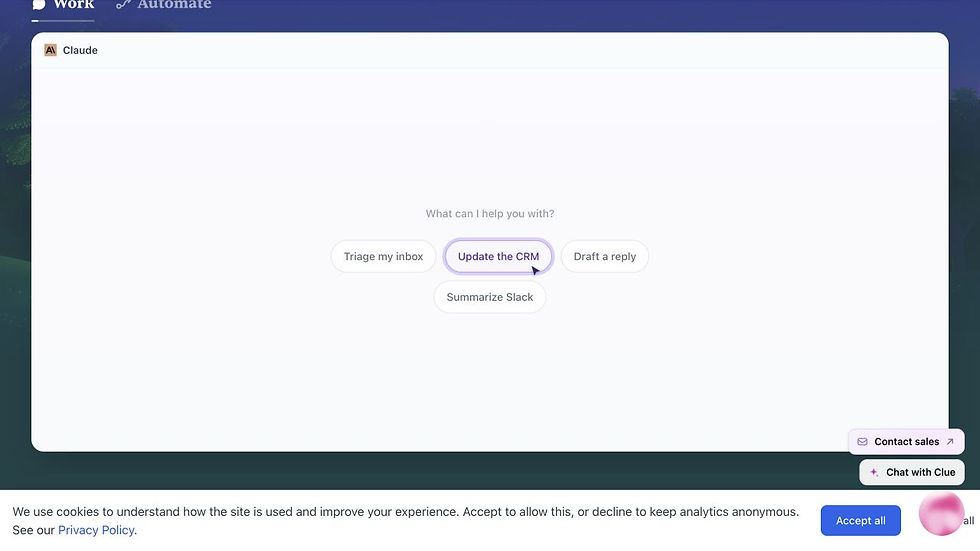
Let us put the tools inside one realistic example.
Suppose you run a membership, course or software product. Each month, some customers stop logging in. A few are busy. A few never understood the first step. A few hit a technical problem. Others are simply not a fit.
A careless automation treats them all the same and sends a generic discount.
A useful system starts with a more precise outcome: Identify customers whose inactivity suggests a recoverable problem, prepare the evidence needed to help them and return any sensitive or high-value decision for approval.
The workflow could look like this:
Gumloop checks the approved customer source and starts the process when a record meets the inactivity rule.
Relevance AI prepares a short recovery brief from permitted account history, support themes and the offer rules you supplied.
Bardeen gathers missing public or browser-based context when that information is genuinely needed.
Lovable gives you a simple recovery dashboard showing the case, evidence, recommended next step and approval status.
Serif prepares the appropriate email and keeps the thread organized.
Napkin AI turns recurring friction into a visual journey map that exposes where customers keep dropping out.
Activepieces connects the systems and records the approved outcome.
This is an illustrative design, not a claim that every connector works with every plan or data source. The exact setup depends on the services you use, their current integrations and your privacy obligations. But the architecture matters: every tool has a bounded role, and the human controls the consequence.
If you are deciding which repeated task deserves automation first, my five-task AI automation audit for small business gives you a practical way to separate revenue friction from merely annoying busywork.
1. Gumloop: Orchestrate the Work
Role: acting and coordinating.
Gumloop is useful when a business process contains several steps, sources and checks that should happen in the same order each time. Its official documentation describes workbooks as collections of workflows, and workflows as visual canvases made from nodes that process data, use AI or connect to external services. That makes it suitable for orchestrating a customer-recovery process rather than merely writing the recovery email.
In our example, Gumloop could begin with an approved list of accounts that have been inactive for a defined period. It could filter out customers who have already cancelled, create one case for each remaining account and route the permitted evidence to the next stage.
The important phrase is approved list. Do not give a new automation broad access to every customer record simply because a connector exists. Start with a test dataset containing fictional or de-identified records. Prove that the workflow handles duplicates, missing dates and ambiguous status labels before it touches live information.
Gumloop's official workbook documentation also supports version control. That matters because a workflow will evolve. When a change creates a bad result, you need to know what changed and restore the last working version rather than guessing.
Best first assignment: turn one manually reviewed spreadsheet row into a complete internal case with a status, evidence pack and next-action recommendation.
What Gumloop should not decide alone: whether to offer a refund, make a contractual promise or contact the customer.
2. Relevance AI: Build the Recovery Brief
Role: researching and preparing a decision.
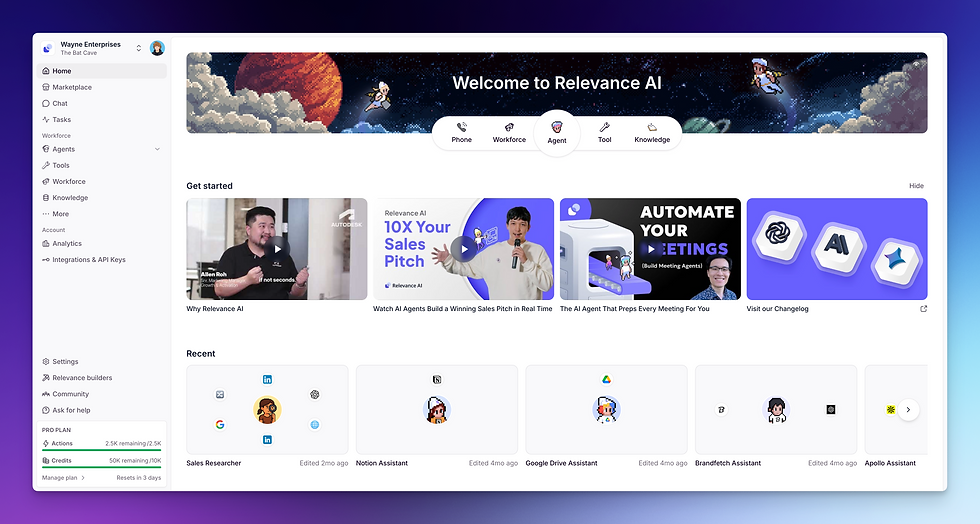
Relevance AI is designed around agents, tools, knowledge and multi-agent workforces. Its official introduction describes a low-code platform where an agent can be given instructions, tools and knowledge so it can complete business tasks. That is useful for turning scattered evidence into a consistent recovery brief.
The brief should not be a psychological diagnosis. It should be a compact evidence record:
last meaningful activity;
support issues already reported;
product or course stage reached;
relevant offer or policy rule;
missing information;
recommended next step;
confidence and required approval.
For example, an account with three failed onboarding attempts needs a different response from an account that completed the program and simply stopped opening emails. The agent can classify the evidence against rules you provide. It should not invent a reason when the evidence is weak.
Relevance AI's workforce documentation shows how multiple agents can be organized around different responsibilities, while its tool documentation explains that tools give agents specific capabilities. For a solopreneur, the restraint is more important than the architecture. Begin with one agent, one brief and one approval queue. Add specialist agents only after the first job is reliable.
Best first assignment: review a fictional account packet and return a one-page recovery brief with every conclusion tied to a supplied fact.
What Relevance AI should not decide alone: whether the customer is “at risk,” what they intended or how much their relationship is worth when those conclusions are not supported by evidence.
3. Lovable: Turn the Plan Into a Working Dashboard

Role: building.
Lovable turns natural-language instructions into a full-stack web application. Its documentation says it can generate the frontend, backend, database, authentication and integrations, while keeping the result as editable code. In plain language: it can help a non-developer turn a clear operating plan into a working internal tool.
The dangerous way to use Lovable is to improvise the business logic while the app is being built. You keep changing fields, screens and rules because each new version creates another idea. Credits disappear. The dashboard becomes more impressive and less useful.
I prefer to do the thinking first. Define the case fields, approval states, data boundaries and success measure in a planning environment. Then give Lovable a stable build brief.
For the recovery dashboard, the first version needs only four screens: a queue, a case summary, an approval decision and a result log. It does not need twelve charts, custom gamification or a prediction engine.
Lovable's getting-started guide recommends beginning with a clear prompt and building iteratively. The business version of that advice is: iterate on the smallest decision interface, not the largest possible application.
Best first assignment: build a dashboard using synthetic records with a visible source field, confidence label and approve/reject control.
What Lovable should not decide alone: which data it may store, who can access it or whether a button should trigger a real external action.
This is where an AI brain containing current business context and standards can reduce expensive rebuilding. The app should be based on approved rules, not whatever the owner remembered during the latest build session.
4. Bardeen: Collect the Missing Evidence

Role: researching and moving browser-based information.
Bardeen is strongest when useful information is trapped across webpages and browser workflows. Its Browser Agent documentation explains how users can define extraction goals for lists, tables, individual pages and deeper page navigation. That can turn repetitive copying into a reviewable dataset.
Inside our recovery example, Bardeen should have a narrow job. Perhaps it checks whether a customer's company website still exists, collects a public role change that affects the account or moves an approved list from a browser-based system into the recovery queue.
It should not scrape “everything we can find” about the customer. More data is not automatically more insight, and public availability is not the same as permission to use personal information for every purpose.
The practical test is whether the missing evidence changes the next decision. If knowing a company's current website status helps you distinguish a closed business from an onboarding failure, collect it. If the information merely makes the brief look more sophisticated, leave it out.
Bardeen's official Browser Agent guide also warns users to review the generated extraction setup. That review matters because page structures change. A workflow that worked last month can silently start returning the wrong field.
Best first assignment: extract five clearly defined public fields from ten test pages and flag any page that does not match the expected structure.
What Bardeen should not decide alone: whether a public detail is appropriate to store, infer or use in a customer communication.
5. Serif: Handle the Email Follow-Through

Role: communicating.
Serif is an AI email agent for Gmail and Outlook. Its official product page says the agent can read and classify messages, prepare replies, follow up and escalate conversations, with a draft-first starting mode. That makes it more relevant to a recovery workflow than a generic writing assistant because the job includes the thread and the follow-through.
In the first version of the system, keep Serif in draft mode. Give it the approved recovery brief, the permitted offer, examples of Ben's tone and a list of statements it must never invent. The draft should identify the customer's specific friction without pretending to know how they feel.
For example, “I noticed you have not completed the onboarding checklist” is evidence. “I know you are overwhelmed” is an assumption.
The strongest email may not contain a discount at all. It may offer a clearer first step, answer a repeated question or invite a reply. The agent can prepare those variations, but a human should approve any commercial concession, sensitive support response or promise about access and outcomes.
Serif's official AI email agent page describes controls for rules, follow-ups and escalation. Use those controls to narrow the job. The objective is not to make the inbox look empty. It is to make sure the right conversation receives an accurate next step.
Best first assignment: prepare a reply from a fictional recovery brief and return it for approval with the evidence used and any missing information.
What Serif should not decide alone: refunds, guarantees, legal statements, deadlines, pricing exceptions or whether a sensitive message should be sent.
6. Napkin AI: Make the Friction Visible

Role: communicating complex information visually.
Napkin AI turns text into editable visuals such as diagrams, flowcharts and mind maps. According to its official site, you can paste or import text, generate a relevant visual, edit it and export the result in formats including PNG, SVG, PDF and PowerPoint.
That sounds like a presentation feature. In a small business, it can serve a more important purpose: reveal a broken process that paragraphs keep hiding.
After 20 recovery cases, you may discover that most inactive customers did not lose interest in the product. They stalled between purchase and the first meaningful win. A visual journey map can show the repeated path: purchase, login, confusing setup, no result, silence.
That changes the commercial decision. You may need to fix onboarding before you write another win-back sequence.
Napkin AI's feature documentation describes several visual types and editing options. Treat the first generated diagram as a draft. Check that sequence, labels and implied causality match the underlying cases. A beautiful flowchart can make a weak inference feel official.
Best first assignment: convert a verified list of recovery stages and drop-off counts into a simple journey map, then compare every label with the source table.
What Napkin AI should not decide alone: whether one stage caused another or whether a pattern from a small sample represents the whole customer base.
7. Activepieces: Connect the Handoffs
Role: connecting and governing the flow.
Activepieces is a no-code automation platform with integrations, AI pieces, agent capabilities and human approval options. Its official documentation positions flows as the way to connect triggers and actions across services. In our recovery system, that makes it the connective layer.
When a case is approved in the dashboard, Activepieces might move the approved brief to the email stage. When a response arrives, it could record the outcome. When no response arrives within an approved window, it could create a review task—not automatically send an increasingly aggressive sequence.
This is the stage where automation becomes seductive. Once you can connect everything, every delay looks like a trigger waiting to be created.
Resist that impulse.
Connections amplify whatever rules you give them. If the classification is wrong, the workflow moves the wrong case faster. If the offer is outdated, the system repeats the outdated offer more consistently.
That is also the distinction I make in my guide to business jobs you can hand off to ChatGPT Work: a longer assignment becomes valuable only when the outcome, tools, sources and approval boundary are explicit.
Activepieces' official overview describes no-code automation and deployment choices, while its AI pieces documentation covers agent actions and human-in-the-loop patterns. Use approval as architecture, not as an apology added after the automation is finished.
Best first assignment: connect two sandboxed steps using fictional data, log every transition and stop before sending or changing an external record.
What Activepieces should not decide alone: whether to skip an approval, overwrite source data or turn a test workflow into a live customer process.
How to Build Your First System
Do not install all seven tools this afternoon.
Start with the customer-recovery job—or another complete job you already understand—and run it manually from beginning to end. Record the evidence, decisions, handoffs, corrections and time required. You are looking for the stage that repeatedly consumes attention without requiring your deepest judgment.
Then use this five-step implementation plan:
Name the finished outcome. “Prepare an approved recovery case” is clearer than “automate customer success.”
Map the six roles. Identify where the work requires thinking, researching, building, acting, communicating and connecting.
Choose one tool for one stage. Do not connect the system yet.
Test with fictional or de-identified data. Compare the result with the manual process and record every correction.
Add one handoff only after the first stage is reliable. Preserve a log and a human stop point.
The first result should feel almost boring. One repeated task arrives in a predictable format. One person can check it. One next step is obvious.
That is leverage.
It also protects you from turning AI into another department you have to manage. My ChatGPT for small business guide applies the same complete-job test to everyday marketing, reporting, customer and admin work. The goal is not to own a software collection. It is to reduce the number of unfinished jobs that return to you.
If you want the guided version, the 28-Day AI Mastery course helps you build practical AI workflows, train specialist agents and create approval rules without needing to code. The point is not to master seven interfaces. It is to become capable of designing one reliable business outcome, then improving it from evidence.
What the AI Must Never Decide Alone
The more complete the workflow becomes, the clearer your authority boundaries must be.
I use a simple distinction.
Reversible internal work can often be automated after testing: organize information, prepare a brief, draft a reply, create a visualization, flag missing evidence or recommend a next step.
Consequential external work stays behind approval: publishing, sending, spending, deleting, changing access, making a commitment, offering compensation or altering strategy.
There are exceptions. A low-risk acknowledgement email may eventually be safe to send automatically. A supposedly internal classification may still harm someone if it affects eligibility or treatment. Risk depends on consequence, not where the button sits.
Before connecting real data, define:
the minimum sources each tool may access;
which records are authoritative;
what uncertainty must be shown;
when the workflow stops;
who approves an external action;
how a change can be rolled back;
what result will prove the system is helping.
For a lean business, the privacy, accuracy and approval rules in my ChatGPT for small business guide do not need to become a corporate document. They need to be clear enough that the automation cannot reinterpret convenience as permission.
The outcome I want is not “more productivity.” It is fewer weak decisions, fewer dropped handoffs and more time protected for the work only the owner can do.
A Personal Note From the Owner's Side of the Screen

I understand the temptation to keep building.
When you are responsible for the article, the email, the video, the product and the sales number, a new automation can feel like relief before it has completed a single useful job. You can spend an entire afternoon drawing the perfect future system—and still reach the end of the day with the revenue-producing work untouched.
I have built books, courses, campaigns and content systems for more than two decades. The lesson is not that every part of a business should become automated. It is that the owner's judgment should be protected from work that can be made explicit, checked and repeated.
Automation should give you your attention back, not create another machine that needs feeding.
That is the larger tension I explore in The Wolf Is at the Door: AI changes the competitive environment, but your advantage still comes from the decisions, trust and transformation the system cannot manufacture on its own.
Choose one job. Make the finish line visible. Keep the consequence under human control. Then earn the right to connect the next stage.
Frequently Asked Questions
Which AI automation tool should a solopreneur start with?
Start with the tool that removes the clearest bottleneck in a job you already understand. If browser-based research is the burden, test Bardeen. If you need an internal decision interface, test Lovable. If the work already spans several systems, map the process before testing Gumloop or Activepieces. Choose the job first and the tool second.
Do I need all seven tools?
No. The seven-tool workflow is an architecture example, not a required software stack. Many solopreneurs should begin with one tool and one manual handoff. Add another tool only when the next stage is stable, measurable and genuinely expensive to perform manually.
Can these tools run a business without me?
They can complete bounded stages of business work, but the owner still defines the goal, supplies trustworthy context, sets authority limits and approves consequential actions. A workflow can reduce supervision; it does not eliminate accountability.
Should I connect live customer data immediately?
No. Use synthetic, fictional or properly de-identified records until the workflow is reliable. Then grant the minimum access required, verify the provider's current privacy and security terms and retain human review for sensitive decisions.
How do I know whether the automation is working?
Measure the full job: elapsed time, owner attention, corrections, missed cases, customer outcome and any new risk. A five-minute AI step has not saved time if it creates 30 minutes of checking or sends the wrong work into the next system.
What is the biggest mistake solopreneurs make with AI automation?
Automating an activity before defining the outcome. “Research customers,” “write emails” and “connect apps” create motion. “Prepare an evidence-backed recovery case for approval” creates a job with a finish line.
The real advantage is not having seven AI tools. It is knowing where your judgment belongs—and designing the rest of the work so it no longer has to live in your head.


Comments