_edited.png)
AI Bookkeeping for Small Business: What to Automate—and What Must Stay Human


AI bookkeeping for small business can remove repetitive work, but the dangerous part is that repetitive work can still create real consequences.
A receipt attached to the wrong expense can distort your margin. A duplicate invoice can become a duplicate payment. A confidently misclassified transaction can quietly travel into a tax return, lender package or cash-flow decision.
That is why the right question is not, “Can AI do my bookkeeping?”
It is: Which parts of bookkeeping can AI prepare, and which decisions must still belong to a responsible human?
The useful answer is more encouraging than the hype and less frightening than the backlash. AI can remove hours of collection, matching, explanation and exception-hunting. But it should return a reviewable packet—not take irreversible financial action on its own.
This guide gives you a practical boundary and a 30-transaction pilot. If you want to build this kind of bounded AI operator across the rest of your company, Zero-Employee Entrepreneur shows you how to assign one specialist a clear job, evidence standard and approval line.
In This Article
What AI Bookkeeping Can Actually Do for a Small Business

Bookkeeping contains two very different kinds of work.
The first is evidence preparation: collect documents, extract dates and amounts, propose matches, identify missing fields, compare records and prepare questions. This work is repetitive, observable and usually reversible. It is where AI can help most.
The second is financial judgment: decide the correct accounting treatment, approve a payment, change a closed period, select a tax position or certify that the books are complete. These decisions depend on context, rules and responsibility. They should stay with an owner, bookkeeper, accountant or tax professional.
Modern accounting platforms already advertise features such as transaction suggestions, anomaly detection, reconciliation help and automated invoice processing. The capabilities are real, but the labels can blur the boundary between a recommendation and a correct decision. Even Xero's explanation of AI in accounting describes AI as supporting accounting work rather than eliminating professional judgment.
Think of AI as a very fast junior operations analyst. It can assemble the evidence and make a first recommendation. It cannot inherit your legal duty, your relationship with a supplier or your understanding of why an unusual transaction occurred.
That distinction matters because good records must still support what appears in your books. The IRS says businesses should keep supporting documents such as invoices, receipts and proof of payment, and that electronic records are held to the same basic recordkeeping principles as paper records.
AI can help you find and organize that evidence. It does not turn missing evidence into proof.
This is the same economic discipline behind a sensible AI cost analysis for a small business: count the review work, exception handling and controls—not just the subscription fee.
The Bookkeeping Boundary: Collect, Suggest, Flag—Never Approve
Use a simple rule I call the CSF boundary:
Collect the source evidence.
Suggest a treatment or match.
Flag uncertainty and exceptions.
Then stop.
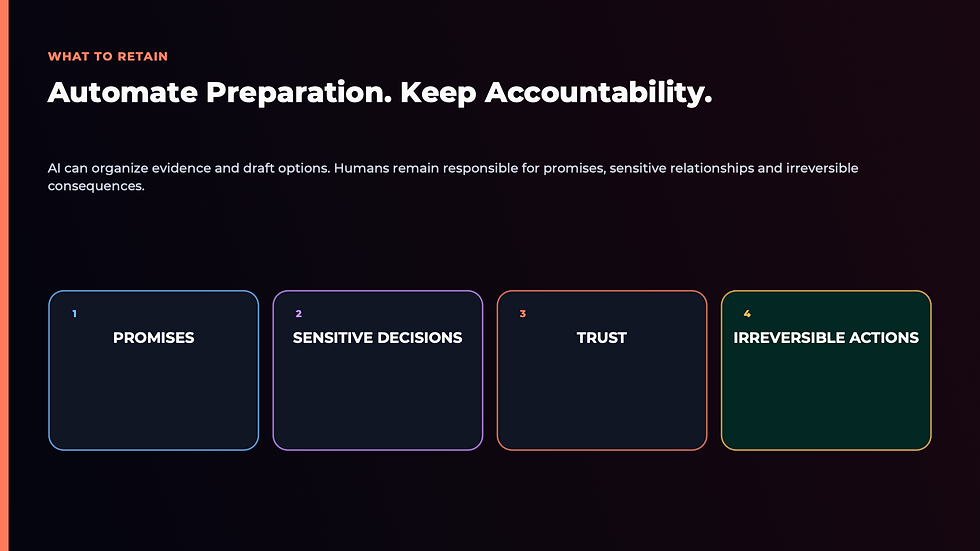
The AI does not approve, pay, file or close. A named human does.
This boundary gives you speed without creating silent authority. It also makes the workflow auditable: every suggestion should point back to a source document, every exception should be visible, and every final decision should have an owner.
Here is what that looks like in practice:
AI extracts the supplier, date, subtotal, tax and total from an invoice.
It searches for a matching bank or card transaction.
It suggests the vendor and expense category using your current chart of accounts and prior approved examples.
It assigns a confidence level and explains the match.
It flags duplicates, missing receipts, unfamiliar vendors, material variances and policy conflicts.
A human reviews the evidence, changes anything necessary and approves the entry or payment.
The stop line is especially important around payments. Invoice fraud often succeeds because a familiar-looking request moves through a routine process without independent verification. The FTC advises small businesses to verify invoices and payment requests, particularly when bank details or payment instructions change.
That means an AI system may detect a bank-detail change. It should not decide that the change is legitimate. Verification should use a trusted contact method that did not come from the suspicious message.
If you already use an AI chief of staff, the same principle applies: delegate preparation and coordination, but make consequential approvals explicit.
Build a Receipt-to-Review Loop in Five Steps

Do not begin by connecting AI to every account. Begin with one narrow flow—such as card expenses under a defined threshold—and make the evidence trail work.
1. Define the intake channel
Choose one place where source documents arrive: a dedicated inbox, upload folder or receipt-capture tool. List the acceptable file types and the fields every item should contain.
A vague instruction such as “handle the receipts” invites improvisation. A useful instruction says: “For each receipt, capture vendor, date, currency, subtotal, tax, total, payment method and source-file link. If any field is unreadable, return `NEEDS REVIEW`.”
2. Give the system approved reference material
Provide the current chart of accounts, vendor list, expense policy and a small set of previously approved examples. Version these files and name the owner who can change them.
This is where many implementations fail. The model is asked to classify transactions, but nobody tells it which category names are valid or which version is current. The result looks tidy while creating cleanup work downstream.
3. Require evidence with every suggestion
For each proposed entry, require:
a link to the source document;
the matching transaction ID or statement reference;
the proposed category;
the reason for the suggestion;
a confidence label;
and any missing or conflicting information.
An answer without evidence is not ready for review. This is also why you should measure the workflow as a complete AI automation ROI system: time saved must exceed the time spent correcting weak suggestions.
4. Route exceptions instead of hiding them
Create explicit stop rules. For example:
amount differs from the source document;
potential duplicate;
new supplier;
changed bank details;
split-category transaction;
foreign currency;
personal/business ambiguity;
missing receipt;
or confidence below your threshold.
Each exception should enter one review queue with a named owner and due date. Do not allow “best guess” to become an invisible default.
5. Approve inside the accounting system
Keep the final review where the permanent record lives. The reviewer compares the source document, transaction and proposed treatment, then accepts, changes or rejects it.
Log the correction reason. Those corrections become your best training material because they show where the system's rules or reference examples are incomplete.
This is an AI workflow, not a single prompt. The value comes from the controlled sequence: evidence in, recommendation out, exception routed, human approval recorded.
What You Should Never Fully Automate

The line is not “AI versus no AI.” The line is reversibility and consequence.
Keep these actions behind human approval:
Sending or changing payments
AI can prepare a payment packet and highlight differences. A human should verify the supplier, bank details, amount and authorization before money moves. Use separation of duties when possible: the person who enters a supplier or changes bank details should not be the only person approving payment.
Choosing tax treatment
Tax treatment can depend on business structure, jurisdiction, use, timing and documentation. AI can collect the facts and draft questions. A qualified professional should make or approve positions that affect a filing.
Closing or reopening a period
Closing a month tells the business that the numbers are ready to use. Reopening it changes that decision. Both actions should be visible and permissioned.
Writing off balances or changing revenue recognition
These choices can alter profit, tax, lender reporting and owner decisions. They need documented rationale and an accountable approver.
Deleting source records
Retention requirements vary, and an attachment that looks duplicated may be the only evidence tied to a specific transaction. Let AI identify possible duplicates; let a person apply the retention policy.
Giving a model unrestricted access to financial data
Use the smallest data set and permissions needed for the job. Confirm the provider's business-data terms, retention choices and access controls before uploading bank statements, payroll files or customer information. OpenAI's business data page is one example of the kind of provider documentation you should inspect; your obligations and risk assessment still depend on your own data and jurisdiction.
The NIST AI Risk Management Framework offers a useful general principle: AI risk management needs governance, measurement and ongoing management—not a one-time tool choice. For a small business, that can be as practical as a named owner, narrow permissions, an exception log and a monthly review.
Put those rules in your small-business AI policy so the boundary survives beyond one enthusiastic setup session.
Run a 30-Transaction Pilot Before You Trust the System

You do not need a six-month transformation project to learn whether the workflow is useful. You need 30 representative transactions and a scorecard.
Choose a sample that includes ordinary purchases and the ugly edge cases: a split receipt, refund, duplicate-looking charge, new supplier, foreign-currency transaction, missing document and personal/business ambiguity.
Run the system in shadow mode. It can collect, extract, match, suggest and flag, but it cannot write to the official ledger or initiate a payment.
For each transaction, record five measures:
Evidence completeness: Did it attach the correct source and transaction reference?
Field accuracy: Were vendor, date, amount, tax and currency correct?
Classification agreement: Did the reviewer accept the proposed category without change?
Exception recall: Did it surface the cases that required judgment?
Review time: How long did a human take to approve or correct the packet?
Do not collapse these into one vanity “accuracy” score. A system could classify 28 routine transactions correctly and miss the two fraudulent or material exceptions that mattered most.
Set a release rule before you see the result. For example: no incorrect amounts, no missed duplicates, every low-confidence item routed, and a meaningful reduction in review time. If the pilot fails, narrow the job or improve the reference material. Do not expand permissions to compensate for weak performance.
This is the same discipline you would use in AI sales forecasting for a small business: the model can prepare a decision aid, while the owner remains responsible for the decision.
What One Intuit Customer Example Shows—and What It Does Not

Intuit's 2026 product announcement includes a customer example from Matthew Hoffman, founder of Grovii Brands. In Intuit's account, its AI-assisted tools helped surface unusual financial changes and organize information for faster decisions. You can read the vendor-published example in Intuit's announcement.
The mechanism is relevant: software compares current activity with prior patterns, points to an anomaly and presents supporting information to the owner.
But the evidence has limits.
This is a named customer quotation selected and published by the vendor. It is not an independent case study, it does not publish a controlled before-and-after analysis, and it does not prove that every small business will get the same result. We also do not know how much human review, setup or correction sat behind the experience.
The transferable lesson is not “buy this tool and your books will be handled.” It is: use AI to surface a decision-worthy exception with evidence, then let a responsible person decide what it means.
That is the standard to use when evaluating any AI proposal or vendor claim: identify the mechanism, inspect the evidence and refuse to confuse a polished output with a proven outcome.
The Boundary That Keeps You in Charge

The seductive promise of AI bookkeeping is that you will never have to look at the books again.
I do not think that is the goal.
The goal is to stop spending your attention on scavenger hunts—chasing receipts, copying totals, searching for matches—so you can spend it on the decisions the numbers are trying to reveal.
AI should make your financial reality more visible, not place another black box between you and it.
So keep the boundary simple: the system collects, suggests and flags. A human approves. Every recommendation points to evidence. Every exception has an owner. Every permission expands only after a measured pilot earns it.
That is how a small business gains leverage without giving away control.
If you want to turn that boundary into a repeatable operating model across finance, marketing and delivery, Zero-Employee Entrepreneur helps you design narrow AI specialists that return evidence, respect stop rules and keep consequential decisions with you.
AI Bookkeeping for Small Business FAQs

Can AI completely replace a small-business bookkeeper?
AI can automate substantial evidence-preparation work, but complete replacement is the wrong operating target. Ambiguous transactions, tax treatment, fraud checks, period close and financial interpretation still require accountable human judgment. A strong system reduces repetitive handling and gives the bookkeeper a cleaner review queue.
What is the safest bookkeeping task to automate first?
Start with receipt extraction and transaction matching in shadow mode. The system should suggest fields and matches without writing to the official ledger. This gives you a measurable sample while keeping errors reversible.
Should AI be allowed to categorize transactions automatically?
Only after a representative pilot proves its performance, and even then use thresholds. Routine, high-confidence items may enter a review queue with suggested categories. New vendors, unusual amounts, split transactions, tax-sensitive items and low-confidence cases should always be routed to a person.
How do I protect financial information when using AI?
Minimize the data shared, use a business-grade account with appropriate contractual and access controls, restrict permissions, remove unnecessary personal information and review retention settings. Do not upload sensitive financial records to a consumer tool until you understand how the provider stores and uses the data.
How will I know whether AI bookkeeping is saving money?
Track review time, correction time, missed exceptions and subscription or implementation cost. Compare the full workflow before and after the pilot. Faster extraction is not a saving if errors create more reconciliation work later.
Can AI detect bookkeeping fraud?
AI can flag anomalies such as duplicates, unfamiliar suppliers, changed bank details or unusual amounts. A flag is not a fraud determination. A human should verify the request using trusted records and an independently sourced contact method before taking action.


Comments