_edited.png)
Which AI Subscriptions Are Worth Paying For? The Keep, Downgrade or Cancel Audit


The charge is rarely large enough to feel dangerous.
Twenty dollars here. Another specialist tool there. A meeting assistant, an image generator, a research platform and a second chatbot you subscribed to because one launch video made it look indispensable. Each charge makes the question of which AI subscriptions are worth paying for feel too small to settle today.
Then the renewals begin landing on different days, and the uncomfortable question appears: which AI subscriptions are worth paying for?
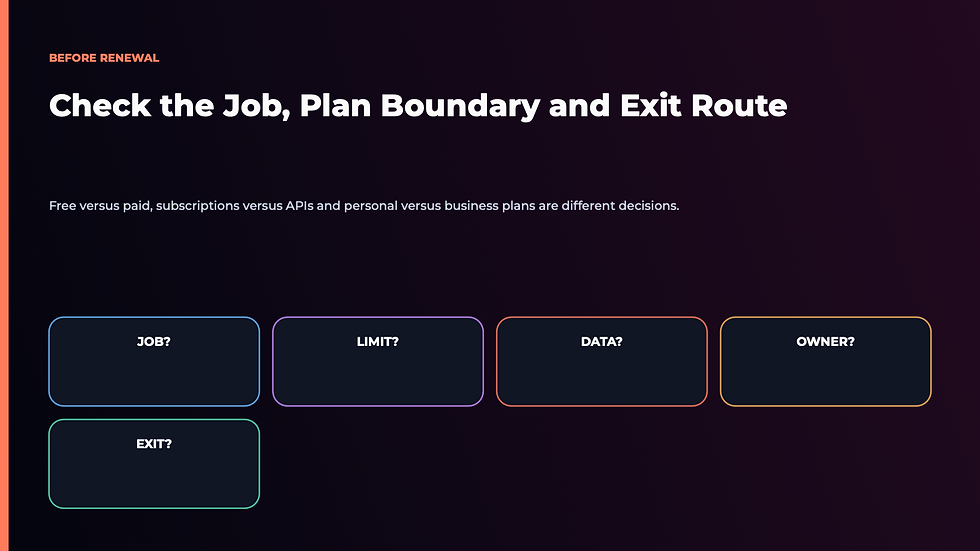
The direct answer is this: keep the smallest set of AI subscriptions that repeatedly completes valuable business jobs with less owner effort. Downgrade tools whose paid limits you rarely reach. Replace subscriptions that duplicate a stronger tool. Cancel anything you cannot connect to a real job, a measurable result or a necessary control.
That sounds obvious. It is not how most of us buy AI.
We buy access to possibility. We keep paying because the tool might become useful next month, because cancelling feels like falling behind, or because we confuse a clever output with a completed business result. The monthly fee hides the larger cost: setup, checking, moving work between apps, correcting mistakes and keeping yet another system alive.
If you want to turn this audit into a working operating habit, Ben Angel's 28-Day AI Mastery course helps you choose one useful AI job, establish the right approval boundaries and install it without collecting tools for their own sake.
In This Article
Which AI Subscriptions Are Worth Paying For? The Direct Answer

An AI subscription is worth paying for when losing it would create a visible, recurring business cost.
Perhaps it turns two hours of research into a twenty-minute evidence review. Perhaps it helps your team work from a shared knowledge base with the permissions and administration you actually need. Perhaps it handles long documents that overwhelm the free tier, or produces client assets at a quality and volume you can defend commercially.
The operative words are visible, recurring and business.
If the benefit appears only in an occasional experiment, the free tier may be enough. If the subscription saves generation time but adds more checking and copying than it removes, the business value is weaker than it looks. If two tools perform the same job and neither owns a distinct role, you are paying an overlap tax.
My doctrine is simple:
A subscription earns renewal by completing a recurring business job—not by making you feel current.
That means the most valuable plan is not automatically the plan with the most advanced model. Current product pages make the trade-off visible. Google's official Gemini limits guide separates free and paid access by usage, context and features, and explicitly warns that limits can change. Anthropic's Claude Pro guidance retains a free option and directs buyers to regional pricing. OpenAI's business pricing page distinguishes personal access from workspaces with administration, controls and business-data commitments.
Those differences matter, but a feature table still cannot decide for you. Your recurring job must do that.
Start by giving each paid tool one sentence:
We pay for this because it helps [owner or team] complete [specific job] to [completion standard] at [frequency].
“We pay for Claude because it is good at writing” is too vague.
“We pay for Claude Pro because our strategist reviews three long client documents each week and the free usage ceiling interrupts the job” is testable.
“We pay for ChatGPT Business because five team members need a managed workspace, shared operating context and central administration” is a different job again. A personal plan and a business workspace may both provide AI chat, but the buyer is paying for different conditions around the work.
If you cannot complete the sentence without using words such as might, sometimes or interesting, the subscription has not yet earned its renewal.
The Keep, Downgrade, Replace or Cancel Audit

Open your bank or card statement before opening the AI apps. Search the last ninety days for every AI charge, including add-ons inside software you do not think of as an AI tool.
Record the plan, price, renewal date and named owner. Then place every subscription into one of four decisions.
Keep
Keep the subscription when it repeatedly completes a distinct job, the paid plan removes a real constraint, and the result is worth more than the complete cost.
The complete cost is not merely the invoice. Include the minutes spent preparing inputs, reviewing outputs, correcting failures and moving the result into the next system. A $20 tool that needs five hours of owner supervision is not a $20 tool.
Downgrade
Downgrade when the tool is useful but your usage does not justify the current tier. Look for unused seats, unused credits, premium models reserved for ordinary work, and storage or context allowances you rarely approach.
This decision is especially useful when plans change quickly. A free or lower tier may now contain a capability you originally paid to unlock. Conversely, paid access may be justified by reliability, higher limits or a business control—not by output quality alone.
Replace
Replace when another tool you already pay for can complete the same job to the same standard with less friction.
Do not ask whether two products have identical feature lists. Ask whether they own the same job in your business. A general assistant may now cover the summarizing, drafting, image or research function that once required a separate subscription. The specialist should survive only if it produces a better complete result, not merely a different interface.
Cancel
Cancel when there is no named owner, no recurring job, no evidence of use or no clear reason the paid plan is required.
Also cancel experiments that have quietly become infrastructure without passing a proper evaluation. You can always return when a real job appears. The money is recoverable; the attention consumed by an unmanaged stack is not.
This is the financial side of AI subscription fatigue. That article owns the psychological loop—the fear of falling behind and the pressure to keep collecting access. This audit owns the buying decision: what remains on the statement tomorrow.
Score Every Subscription Against a Real Business Job

Once you have the four decision buckets, score each tool from zero to two across six tests. The maximum score is twelve.
Job clarity: 0 for no defined job, 1 for a general use, 2 for a named recurring outcome.
Paid-plan necessity: 0 when the free tier is enough, 1 when paid access is occasionally helpful, 2 when a paid limit or control is essential.
Usage frequency: 0 for no recent use, 1 for monthly or irregular use, 2 for weekly or daily use.
Owner effort removed: 0 when the tool adds supervision, 1 when it saves a stage, 2 when it removes meaningful work from the complete job.
Result quality: 0 when outputs are unreliable, 1 when they need routine correction, 2 when they consistently meet the completion standard after review.
Distinctiveness: 0 when another paid tool duplicates it, 1 when overlap is partial, 2 when the tool owns a role no other subscription covers.
Use the score as a decision prompt, not a scientific verdict.
10–12: Keep, then document the job it owns.
7–9: Keep or downgrade, depending on paid-plan necessity.
4–6: Replace, restrict or run a short proof test.
0–3: Cancel unless a near-term job has a named owner and deadline.
Now add one more test that does not fit neatly into the total: consequence.
A tool used for private brainstorming has a different risk profile from a shared workspace containing customer records. Before downgrading a team or business plan to a personal plan, confirm what changes in administration, data handling, access, retention and support. The cheapest tier is not a saving if it removes a control the job requires.
The NIST AI Risk Management Framework offers a useful principle here: map the context and manage risk across the system. In practical small-business language, know what data enters the tool, who can act, what must be reviewed and what happens when the output is wrong.
Also separate a subscription from API billing. A subscription usually buys access to a product interface and a defined set of features or limits. An API lets software call a model programmatically and is commonly metered by usage. Paying for a chat plan does not automatically include API usage, and paying an API bill does not automatically provide the collaboration features of a team workspace.
That distinction matters when an experiment becomes an automation. If your workflow is calling a model behind the scenes, include API charges, monitoring and failure handling in the cost. If you only use the product manually, do not buy an engineering solution to a usage problem.
For the wider cost picture, use the separate AI cost for small business guide. It owns total stack economics; this article remains focused on the renewal decision for each subscription.
The Overlap Trap: When Two Tools Do the Same Work

The most expensive AI subscription is often not one tool. It is the space between several tools with no clear owner.
You research in one app, draft in a second, polish in a third and store the result somewhere else. Each product appears productive in isolation. Together they create logins, context loss, duplicate files and a permanent integration job for the owner.
Draw a simple job map with rows for the work you actually perform:
Research and source verification
Long-document analysis
Writing and editing
Image or video production
Meeting capture and follow-up
Customer support
Data analysis and reporting
Workflow automation
Place each paid subscription beside the jobs it currently performs. Any row with three or more tools deserves attention. Any tool with no row deserves more.
Then run the primary-and-backup test. Choose one primary tool for each job. Keep a second only when it provides a materially different capability, a necessary fallback, or a low-cost comparison that improves consequential decisions.
Keeping ChatGPT and Claude can be rational for a researcher who deliberately compares high-stakes analyses and can name the differences. It is much harder to defend when both are used for whichever tab happens to be open.
The same principle applies to specialist tools. A meeting assistant earns its place if it reliably captures decisions, creates assigned follow-ups and updates the system where work is managed. If it only produces a transcript nobody reads, the job is not complete.
This is why AI tool overload feels so exhausting. The owner becomes the integration layer. It is also why a proper AI tool evaluation must test the boring handoffs around the demonstration, not only the output in the centre.
Run one controlled cancellation at a time. Export anything you own, note the renewal date, remove the tool from active workflows and observe what breaks for fourteen days. If nothing breaks, you have evidence. If a real job stalls, you can restore the subscription or route the work through the chosen primary tool.
Do not cancel several tools on the same day if you cannot tell which dependency caused the failure. A subscription audit should reduce uncertainty, not create a mystery.
Before You Renew Another AI Tool

I understand the emotional pull of these products because I feel it too.
Every launch seems to reveal a new advantage. Every expert demonstration creates the suspicion that someone else has discovered a faster business while you are still doing things the old way. Keeping the subscription can feel like keeping the door open.
But an open door is not an operating system.
I have learned to ask a less exciting question: what would stop happening if I cancelled this today?
If the answer is vague, I am probably paying for identity, curiosity or optionality. There is nothing wrong with buying any of those deliberately. Problems begin when I call them business infrastructure and expect them to produce a return they were never assigned to create.
My personal rule is to renew jobs, not logos.
That means one tool may stay because it helps me interrogate a long research record. Another may stay because it gives a team the right administrative boundary. A fascinating product may still go because I cannot give it a recurring responsibility.
The goal is not the smallest possible software bill. It is the smallest credible system that completes the work and leaves you with enough attention to lead the business.
That philosophy sits behind my book, The Wolf Is at the Door, and it is why the practical work inside Ben Angel's 28-Day AI Mastery course begins with one useful job, evidence and a human approval line—not a shopping list of tools.
AI Subscription FAQs
What is a sensible AI subscription count for a small business?
There is no ideal number. A solo business may need one strong general assistant and one specialist. A team with research, media, support and automation workloads may justify more. Count distinct completed jobs, not products. Every subscription should have a named owner, a recurring use and a renewal standard.
Is a free AI plan enough for business use?
It can be enough for occasional, low-risk work when its limits, data terms and controls match the job. Paid plans may add capacity, advanced features, administration or business protections. Check the provider's current plan documentation for your region and account type; do not assume a personal paid plan and a managed business workspace are equivalent.
Should I pay for both ChatGPT and Claude?
Only if each owns a distinct role or the comparison itself improves a valuable decision. If both tools handle the same everyday drafting and one is rarely used, keep the stronger fit and test the other on its free tier. The broader ChatGPT, Claude, Perplexity and Gemini comparison can help separate platform choice from subscription habit.
Does a ChatGPT, Claude or Gemini subscription include API use?
Do not assume it does. Product subscriptions and developer APIs are commonly billed separately and serve different jobs. Verify the current provider documentation before building a workflow, then include usage charges, monitoring and recovery in the cost.
What should I check before downgrading a business AI plan?
Review member access, shared workspaces, data controls, retention, administration, support, integrations and what happens to existing content. Export business-owned material where permitted and confirm that the lower tier still meets your privacy and operational requirements.
How often should I audit AI subscriptions?
Run a light review monthly and a complete Keep, Downgrade, Replace or Cancel Audit every quarter. Also audit after a major plan change, a team change or the end of a pilot. Put renewal dates on one calendar so the decision happens before the charge, not after it.
What is the safest way to cancel an AI tool?
Choose one tool, export permitted business data, identify dependencies, record the cancellation date and observe the workflow for fourteen days. Preserve human approval for customer commitments, publishing, payments and deletion while the replacement route is tested.


Comments